Motion & wall · No credits
Guests complete your brand image together
Mosaic Photo Wall
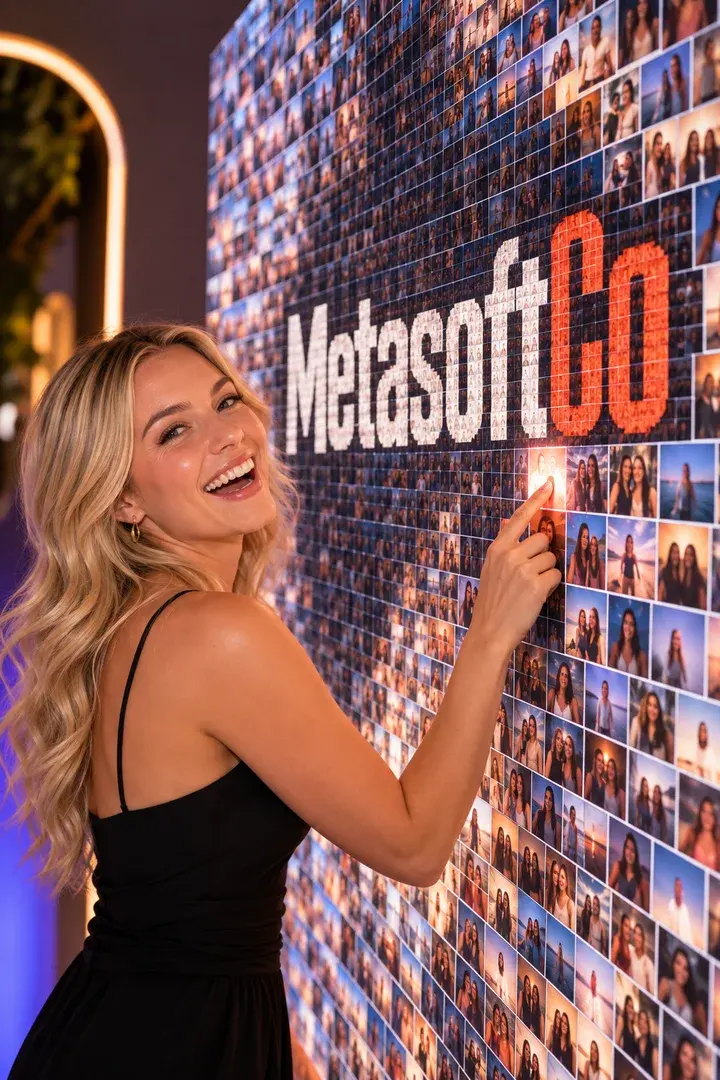
Split your main image into tiles. Each guest's photo becomes a numbered print with their tile laid over it; once the prints are on the wall, your brand image appears made of your guests' faces.
Guest flow
Capture
The next free tile is assigned
The tile is laid over the photo and numbered
The print goes to its place on the wall
Studio settings
- Tiles
- 1–64 (default 24), a near-square grid
- Opacity
- How strongly the tile shows over the photo, 5–80%
- Main image
- Logo, product or campaign visual
Output and sharing
- Output
- PNG labelled "MOSAIC PIECE #NN / N"
- Sharing
- Guest page by QR, download, WhatsApp/Facebook/X link, email with the image attached
- 4×6 in (10×15 cm), 300 dpi
- Credits
- Uses no credits
In every experience
- Camera
- Front/back camera, rotation, mirroring, 1–4× zoom; USB (UVC) camera on iPad
- Flow
- Countdown 0–10 s, optional guest form and retake
- Brand
- Frame, colours, screen background and screen texts
- Kiosk
- Exit locked by an operator PIN, screen stays awake
Where it works
- The centrepiece of a trade-show stand
- Corporate anniversaries
- Launch finales
Questions
Can two guests get the same tile?
No. The server gives each guest the next free tile and never reuses one.
More in this family
-
Lenticular Flip
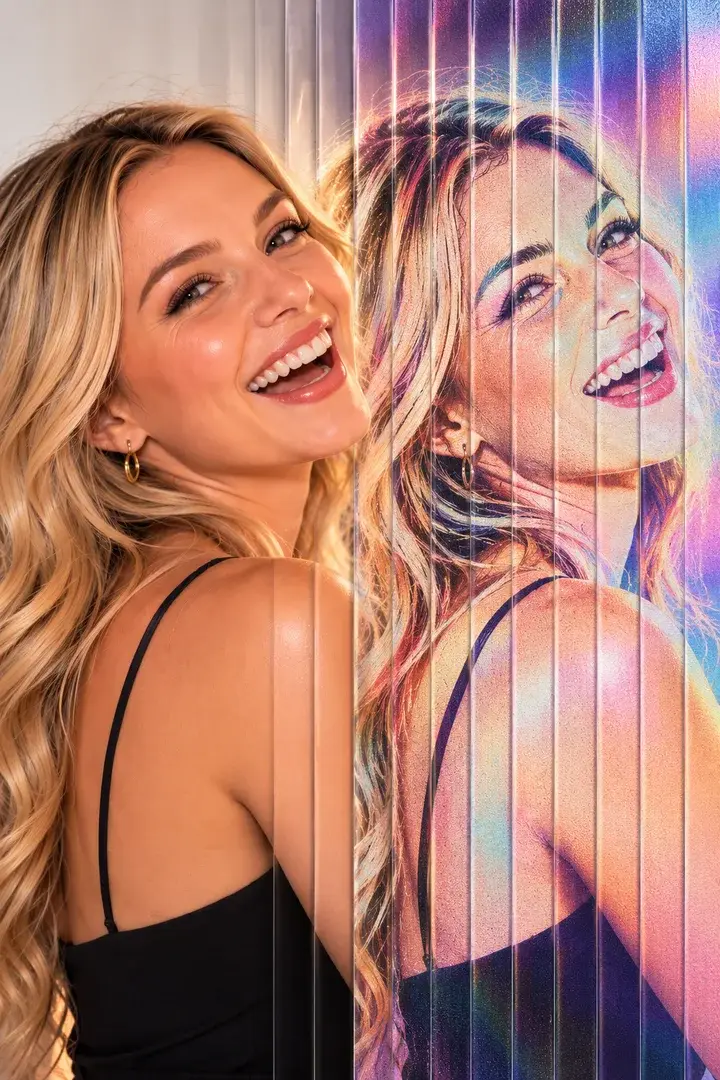
Sequential shots interlaced into one print that moves under a lens.
No credits
-
GIF / Boomerang
A burst of frames becomes a looping GIF on the guest's phone.
No credits
-
Video Boomerang
A short clip with speed ramps that plays forwards and back.
No credits
-
Video Booth
Fixed-length video recording, started at the kiosk or from a paired phone.
No credits
Get your first event ready today.
Try every experience with the free demo; choose a plan when you are ready.